Sign in
After installing gg, two steps remain: tell gg where the organisation’s control plane is, and sign in. The control plane is the service that keeps the record of every flight and decision.
Before starting: access
Section titled “Before starting: access”A person can sign in only to an organisation they belong to. Someone who already belongs creates an invitation link:
gg inviteThe link names nobody. Whoever opens it joins the organisation, so the person who created it sends it to the newcomer by whatever means they already trust. The control plane does not deliver it. In the console, i creates the same link.
1. Point gg at the control plane
Section titled “1. Point gg at the control plane”An administrator can provide the control-plane address. Run:
gg config set control-plane <url>This writes the address into gg’s configuration file for this machine.
2. Sign in
Section titled “2. Sign in”Run:
gg logingg prints an address and a code, then waits:
Open: https://<url>/… Code: ABCD-EFGH- Open the address in a browser. In most terminals the address is a link.
- Sign in with the organisation’s usual account, if asked.
- Check that the code on the page matches the code gg printed, and approve.
gg notices the approval and prints Signed in as <name>. The session is stored on this machine.
If the code expires before it is approved, or the request is declined, gg says so. Run gg login again.
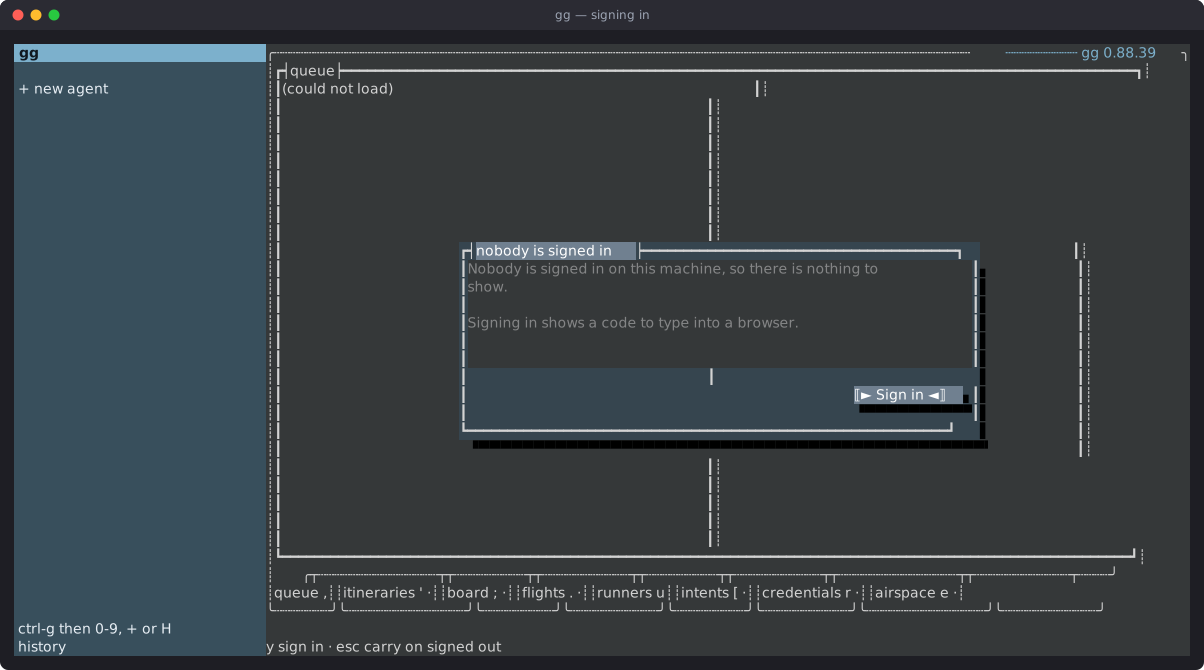
In the console, the same sign-in is offered when nobody is signed in: y starts it, o opens the address in a browser, l copies the address and c copies the code.
3. Check
Section titled “3. Check”To see who this machine is signed in as, run:
gg whoami Principal: Ada Lovelace (3c1f…) Tenant: Example Org (8a2e…) Expires: 2026-10-15 02:31:59ZThe first line is the person, the second is the organisation, and the third is when this session ends. An administrator also sees a line saying so. Any notices the control plane has for the organisation follow, each with what to do about it.
Then run:
gg doctorgg doctor checks everything gg needs: that the control plane can be reached and speaks a compatible protocol, that this release is the one the organisation expects, that the session is valid, and more. Each problem it reports comes with a line saying how to fix it. When something seems wrong, gg doctor is the first thing to run.
If a command later reports that the session is no longer valid, run gg login again.
Signing out
Section titled “Signing out”Run:
gg logoutgg asks the control plane to end the session first, then deletes the local copy. If the control plane cannot be reached, gg keeps the local copy and says so, because deleting it would leave a session that still works and can no longer be ended from here. Run gg logout again once the control plane can be reached.
Where the settings live
Section titled “Where the settings live”gg keeps this machine’s settings in one file:
- macOS and Linux:
~/.config/good-grief/config.json, or under$XDG_CONFIG_HOMEwhen that is set; - Windows:
%APPDATA%\good-grief\config.json.
To see every setting and where its value came from, run:
gg config showAn environment variable takes precedence over the file. For example, GG_CONTROL_PLANE overrides the control-plane setting. gg config show names which source answered for each setting.
The file names credentials but never holds them. Credentials are covered in Add and send credentials.
Next steps
Section titled “Next steps”- Tour the console: find the way around the console.
- First flight: open a flight and follow it to the end.